/* eslint-disable */
/* Hero, Question screens, Email capture, Celebration variants */

const { useState: useStateS, useEffect: useEffectS, useMemo: useMemoS } = React;

/* === HERO === */
function Hero({ headlineVariant, ctaCopy, onScan }) {
  const headlines = {
    primary: {
      h: <>Tell us why you're here.<br/>Get <em>rewarded</em> for it.</>,
      sub: "About a minute of quick questions. You leave with a Chase product matched to you, 50 reward points (concept demo), and a sweepstakes entry.",
    },
    minimal: {
      h: <>One can.<br/><em>One question</em> to start.</>,
      sub: "Answer in your pocket. Skip the line. Walk out with a real Chase recommendation matched to you.",
    },
    bold: {
      h: <>Tell us why<br/>you're <em>here</em>.</>,
      sub: "We'll match you to the right banker and the right Chase product — before you finish the bottle.",
    },
  };
  const copy = headlines[headlineVariant] || headlines.primary;

  return (
    <div className="hero">
      <Statusbar/>
      <div className="hero__brand">
        <div className="hero__lockup">
          <img src="assets/chase-logo.svg" alt="Chase" className="hero__logo"/>
          <span className="hero__lockup-x">×</span>
          <span className="hero__lockup-ape">Ape Water</span>
        </div>
        <span className="hero__branch">Hudson Yards</span>
      </div>

      <div className="hero__can">
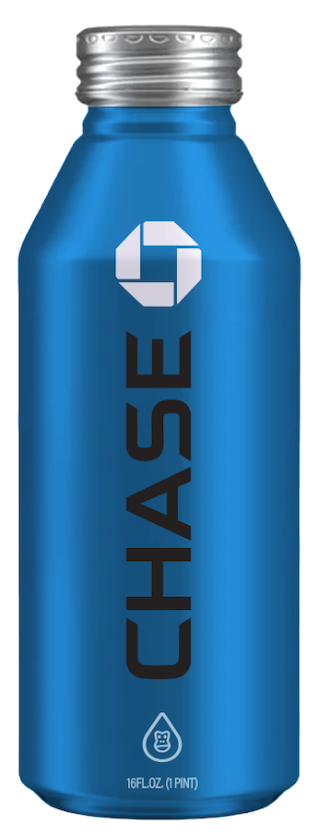
        <img src="assets/can-hero.png" alt="Co-branded aluminum bottle" />
      </div>

      <div className="hero__copy">
        <h1 className="hero__h">{copy.h}</h1>
        <p className="hero__sub">{copy.sub}</p>
      </div>

      <div className="screen__cta">
        <button className="cta cta--primary" onClick={onScan}>
          {ctaCopy} <I.arrow/>
        </button>
      </div>

      <Compliance/>
    </div>
  );
}

/* === QUESTION SCREEN === */
function QuestionScreen({ q, value, total, current, onChange, onNext, onBack }) {
  const multi = !!q.multi;
  const max = q.max || Infinity;

  const isSelected = (id) => multi ? (value || []).includes(id) : value === id;

  const toggle = (id) => {
    if (!multi) {
      onChange(id);
      // No auto-advance — user must tap Continue so they see progress
      return;
    }
    const cur = value || [];
    if (cur.includes(id)) {
      onChange(cur.filter(x => x !== id));
    } else {
      if (cur.length >= max) {
        // Replace oldest
        onChange([...cur.slice(1), id]);
      } else {
        onChange([...cur, id]);
      }
    }
  };

  const canAdvance = multi ? (value && value.length > 0) : !!value;

  return (
    <div className="screen">
      <Statusbar/>
      <div className="screen__top">
        <button className="screen__back" onClick={onBack} disabled={!onBack} aria-label="Back">
          <I.back/>
        </button>
        <Progress total={total} current={current}/>
        <span className="screen__step">{current + 1}/{total}</span>
      </div>
      <div className="screen__body">
        <div>
          <div className="qkicker"><span className="dot"/>{q.kicker}</div>
          <h2 className="qtitle">{q.title}</h2>
          {q.sub && <p className="qsub">{q.sub}</p>}
          {q.disclaimer && <Disclaimer label={q.disclaimerLabel || "Disclosure"}>{q.disclaimer}</Disclaimer>}
        </div>
        <div className="options">
          {q.options.map(o => (
            <Option
              key={o.id}
              option={o}
              selected={isSelected(o.id)}
              multi={multi}
              onClick={() => toggle(o.id)}
            />
          ))}
        </div>
      </div>
      <div className="screen__cta">
        <button className="cta" onClick={onNext} disabled={!canAdvance}>
          {multi && value && value.length > 0 ? `Continue · ${value.length} selected` : "Continue"}
          <I.arrow/>
        </button>
      </div>
    </div>
  );
}

/* === EMAIL CAPTURE (just-here flow only) === */
function EmailScreen({ total, current, onSubmit, onBack, value, onChange, firstName: firstNameProp, onFirstNameChange }) {
  const [firstName, setFirstName] = useStateS(firstNameProp || "");
  const [email, setEmail] = useStateS(value?.email || "");
  const [phone, setPhone] = useStateS(value?.phone || "");
  const [optIn, setOptIn] = useStateS(value?.optIn ?? true);
  const validEmail = /^[^\s@]+@[^\s@]+\.[^\s@]+$/.test(email);
  const validName = firstName.trim().length >= 1;
  const valid = validEmail && validName;

  const submit = () => {
    onFirstNameChange?.(firstName.trim());
    onChange({ email, phone, optIn });
    onSubmit();
  };

  const inputStyle = {
    padding: "14px 16px",
    border: "1px solid var(--line)",
    borderRadius: 12,
    font: "500 15px/1.2 'Geist', system-ui",
    background: "var(--paper)",
    color: "var(--ink)",
    outline: "none",
  };
  const labelStyle = { font:"500 11px/1 'Geist Mono', monospace", letterSpacing:"0.12em", color:"var(--ink-3)", textTransform:"uppercase" };
  const optHint = { textTransform:"none", letterSpacing:0, color:"var(--ink-4)" };

  return (
    <div className="screen">
      <Statusbar/>
      <div className="screen__top">
        <button className="screen__back" onClick={onBack} aria-label="Back"><I.back/></button>
        <Progress total={total} current={current}/>
        <span className="screen__step">{current+1}/{total}</span>
      </div>
      <div className="screen__body">
        <div>
          <div className="qkicker"><span className="dot"/>Just here · 04 of 04</div>
          <h2 className="qtitle">Where should we send your reward?</h2>
          <p className="qsub">First name and email get you the 50-point reveal and your sweepstakes entry. Phone optional.</p>
        </div>
        <div style={{display:"flex", flexDirection:"column", gap:10, marginTop:8}}>
          <label style={{display:"flex", flexDirection:"column", gap:6}}>
            <span style={labelStyle}>First name</span>
            <input
              type="text"
              autoComplete="given-name"
              value={firstName}
              onChange={(e) => setFirstName(e.target.value)}
              placeholder="Sam"
              style={inputStyle}
            />
          </label>
          <label style={{display:"flex", flexDirection:"column", gap:6}}>
            <span style={labelStyle}>Email</span>
            <input
              type="email"
              autoComplete="email"
              value={email}
              onChange={(e) => setEmail(e.target.value)}
              placeholder="you@somewhere.com"
              style={inputStyle}
            />
          </label>
          <label style={{display:"flex", flexDirection:"column", gap:6}}>
            <span style={labelStyle}>Phone <span style={optHint}>· optional</span></span>
            <input
              type="tel"
              autoComplete="tel"
              value={phone}
              onChange={(e) => setPhone(e.target.value)}
              placeholder="(555) 123-4567"
              style={inputStyle}
            />
          </label>
          <label
            style={{
              display:"flex", gap:10, alignItems:"flex-start",
              padding:"12px 14px",
              background:"var(--paper-2)", borderRadius:12,
              border:"1px solid var(--line)",
              cursor:"pointer",
              marginTop: 4,
            }}
            onClick={(e) => { e.preventDefault(); setOptIn(v => !v); }}
          >
            <span
              className="opt__check"
              data-selected={optIn ? "true" : "false"}
              style={{
                width:18, height:18, borderRadius:4,
                border: "1.5px solid " + (optIn ? "var(--ink)" : "var(--line)"),
                background: optIn ? "var(--ink)" : "transparent",
                display:"grid", placeItems:"center", flexShrink:0, marginTop:1,
              }}
            >
              {optIn && <I.check stroke="var(--paper)"/>}
            </span>
            <span style={{font:"500 13px/1.4 'Geist', system-ui", color:"var(--ink-2)"}}>
              Send me Chase offers that match what I told you. <span style={{color:"var(--ink-4)", fontWeight:400}}>You can opt out anytime.</span>
            </span>
          </label>
        </div>
      </div>
      <div className="screen__cta">
        <button className="cta cta--primary" onClick={submit} disabled={!valid}>
          Enter the sweepstakes <I.arrow/>
        </button>
      </div>
    </div>
  );
}

/* === CONTACT CAPTURE SCREEN — required for Personal + Business flows === */
function ContactCaptureScreen({ total, current, flow, value, onChange, firstName: firstNameProp, onFirstNameChange, onBack, onSubmit }) {
  const [firstName, setFirstName] = useStateS(firstNameProp || "");
  const [email, setEmail] = useStateS(value?.email || "");
  const [phone, setPhone] = useStateS(value?.phone || "");
  const [optIn, setOptIn] = useStateS(value?.optIn ?? true);
  const [smsOptIn, setSmsOptIn] = useStateS(value?.smsOptIn ?? false);
  const [step, setStep] = useStateS("form"); // 'form' | 'verify'
  const [otp, setOtp] = useStateS("");

  const validEmail = /^[^\s@]+@[^\s@]+\.[^\s@]+$/.test(email);
  const validName = firstName.trim().length >= 1;
  const validPhone = phone.replace(/\D/g, "").length >= 10;
  const formValid = validEmail && validName && validPhone;

  // ──────────────────────────────────────────────────────────────
  // DEMO MODE — skip the SMS OTP step entirely.
  //
  // In production (Phase 2, once Twilio Verify is wired) this flips:
  //   - submitForm → POST /api/contact → POST /api/otp/send → setStep("verify")
  //   - completeVerify → POST /api/otp/verify → onSubmit()
  //
  // For the Q-S demo we'd rather skip the friction of typing 6 digits than
  // ship a fake "any-6-digits-pass" verifier. The brief's "verified declared
  // record" framing still holds — the production path is clearly described
  // in the disclaimer below; the demo just doesn't run it.
  // ──────────────────────────────────────────────────────────────
  const submitForm = () => {
    onFirstNameChange?.(firstName.trim());
    onChange({ email, phone, optIn, smsOptIn, verified: false, verifiedAt: null, demo_skipped_otp: true });
    onSubmit();
  };

  // Kept for Phase 2 reactivation — currently unreachable.
  const completeVerify = () => {
    onChange({ email, phone, optIn, smsOptIn, verified: true, verifiedAt: new Date().toISOString() });
    onSubmit();
  };

  const inputStyle = {
    padding: "14px 16px",
    border: "1px solid var(--line)",
    borderRadius: 12,
    font: "500 15px/1.2 'Geist', system-ui",
    background: "var(--paper)",
    color: "var(--ink)",
    outline: "none",
  };
  const labelStyle = { font:"500 11px/1 'Geist Mono', monospace", letterSpacing:"0.12em", color:"var(--ink-3)", textTransform:"uppercase" };

  const flowLabel = flow === "business" || flow === "both" ? "Business" : "Personal";
  const totalSteps = total;

  if (step === "verify") {
    return (
      <div className="screen">
        <Statusbar/>
        <div className="screen__top">
          <button className="screen__back" onClick={() => setStep("form")} aria-label="Back"><I.back/></button>
          <Progress total={totalSteps} current={current}/>
          <span className="screen__step">verify</span>
        </div>
        <div className="screen__body">
          <div>
            <div className="qkicker"><span className="dot"/>Verify · last step</div>
            <h2 className="qtitle">Quick code to your phone.</h2>
            <p className="qsub">We sent a 6-digit code to <b>{phone}</b>. Enter it to verify and unlock your match.</p>
          </div>
          <div style={{display:"flex", flexDirection:"column", gap:10, marginTop:8}}>
            <label style={{display:"flex", flexDirection:"column", gap:6}}>
              <span style={labelStyle}>Verification code</span>
              <input
                type="text"
                inputMode="numeric"
                autoComplete="one-time-code"
                maxLength={6}
                value={otp}
                onChange={(e) => setOtp(e.target.value.replace(/\D/g, "").slice(0, 6))}
                placeholder="000000"
                style={{...inputStyle, fontSize:22, letterSpacing:"0.4em", textAlign:"center", fontFamily:"Geist Mono, monospace"}}
              />
            </label>
            <p style={{font:"500 12px/1.4 'Geist', system-ui", color:"var(--ink-4)", margin:"4px 0 0", textAlign:"center"}}>
              Demo · any 6 digits will verify
            </p>
            <Disclaimer label="Verification only">
              This step is part of Ape Beverages' verified-declared-record process. Your number is not used for marketing without your explicit SMS opt-in.
            </Disclaimer>
          </div>
        </div>
        <div className="screen__cta">
          <button className="cta cta--primary" onClick={completeVerify} disabled={otp.length !== 6}>
            Verify & see my match <I.arrow/>
          </button>
        </div>
      </div>
    );
  }

  return (
    <div className="screen">
      <Statusbar/>
      <div className="screen__top">
        <button className="screen__back" onClick={onBack} aria-label="Back"><I.back/></button>
        <Progress total={totalSteps} current={current}/>
        <span className="screen__step">{current+1}/{totalSteps}</span>
      </div>
      <div className="screen__body">
        <div>
          <div className="qkicker"><span className="dot"/>{flowLabel} · contact + verify</div>
          <h2 className="qtitle">Where should we send your match?</h2>
          <p className="qsub">First name, email, and phone unlock your reward, your sweepstakes entry, and (if you opt in) routing to a Chase banker.</p>
        </div>
        <div style={{display:"flex", flexDirection:"column", gap:10, marginTop:8}}>
          <label style={{display:"flex", flexDirection:"column", gap:6}}>
            <span style={labelStyle}>First name</span>
            <input type="text" autoComplete="given-name" value={firstName} onChange={(e) => setFirstName(e.target.value)} placeholder="Sam" style={inputStyle}/>
          </label>
          <label style={{display:"flex", flexDirection:"column", gap:6}}>
            <span style={labelStyle}>Email</span>
            <input type="email" autoComplete="email" value={email} onChange={(e) => setEmail(e.target.value)} placeholder="you@somewhere.com" style={inputStyle}/>
          </label>
          <label style={{display:"flex", flexDirection:"column", gap:6}}>
            <span style={labelStyle}>Mobile</span>
            <input type="tel" autoComplete="tel" value={phone} onChange={(e) => setPhone(e.target.value)} placeholder="(555) 123-4567" style={inputStyle}/>
          </label>
          <label style={{display:"flex", gap:10, alignItems:"flex-start", padding:"12px 14px", background:"var(--paper-2)", borderRadius:12, border:"1px solid var(--line)", cursor:"pointer", marginTop:4}}
            onClick={(e) => { e.preventDefault(); setOptIn(v => !v); }}>
            <span style={{width:18, height:18, borderRadius:4, border:"1.5px solid " + (optIn ? "var(--ink)" : "var(--line)"), background: optIn ? "var(--ink)" : "transparent", display:"grid", placeItems:"center", flexShrink:0, marginTop:1}}>
              {optIn && <I.check stroke="var(--paper)"/>}
            </span>
            <span style={{font:"500 13px/1.4 'Geist', system-ui", color:"var(--ink-2)"}}>
              Send me Chase offers that match what I told you. <span style={{color:"var(--ink-4)", fontWeight:400}}>You can opt out anytime.</span>
            </span>
          </label>
          <label style={{display:"flex", gap:10, alignItems:"flex-start", padding:"12px 14px", background:"var(--paper-2)", borderRadius:12, border:"1px solid var(--line)", cursor:"pointer"}}
            onClick={(e) => { e.preventDefault(); setSmsOptIn(v => !v); }}>
            <span style={{width:18, height:18, borderRadius:4, border:"1.5px solid " + (smsOptIn ? "var(--ink)" : "var(--line)"), background: smsOptIn ? "var(--ink)" : "transparent", display:"grid", placeItems:"center", flexShrink:0, marginTop:1}}>
              {smsOptIn && <I.check stroke="var(--paper)"/>}
            </span>
            <span style={{font:"500 13px/1.4 'Geist', system-ui", color:"var(--ink-2)"}}>
              Text me about my match (msg & data rates may apply). <span style={{color:"var(--ink-4)", fontWeight:400}}>Reply STOP to cancel. Required for SMS only — won't impact your match.</span>
            </span>
          </label>
          <Disclaimer label="Concept demo · production-only step">
            In live deployment your phone number receives an SMS verification code (Twilio Verify) before unlocking the match. The demo skips that step. Pre-qualifications and dollar ranges shown next are illustrative, not credit decisions — real applications run through Chase underwriting.
          </Disclaimer>
        </div>
      </div>
      <div className="screen__cta">
        <button className="cta cta--primary" onClick={submitForm} disabled={!formValid}>
          See my match <I.arrow/>
        </button>
      </div>
    </div>
  );
}

Object.assign(window, { Hero, QuestionScreen, EmailScreen, ContactCaptureScreen });